How to Report Bugs in the Free Fire OB56 Advance Server
Getting into the OB56 Advance Server is only half the job. The other half is reporting what you find. Garena opens the test server so players can catch problems before the global update, and a clear bug report is worth far more than a vague complaint. One good report can be the reason a crash or a broken feature gets fixed before every other player meets it.
This guide explains where to report, what to include, and which bugs are worth your time.
Where to Report a Bug
Report bugs through the official feedback channel inside the Advance Server. That is the channel Garena actually reads for test feedback, and it keeps your report attached to the test build you are playing.
Do not report Advance Server bugs on random websites, in chat groups, or through download links. Those places cannot pass your report to Garena, and some of them exist only to collect accounts or sell fake fixes. The official feedback channel inside the test app is the route to use.
If you are still waiting to get in, start with our guide on Free Fire Advance Server: How to Download and Install It Safely, which covers registration through the official portal at https://ff-advance.ff.garena.com/. And if your activation code has not arrived, our guide on Free Fire Advance Server Activation Code Not Received? 7 Real Solutions That Work covers the real reasons a code may not arrive.
What Makes a Good Bug Report
A good bug report answers five questions. If you cover all five, Garena can reproduce the problem and fix it. If you cover only one, your report will probably be ignored.
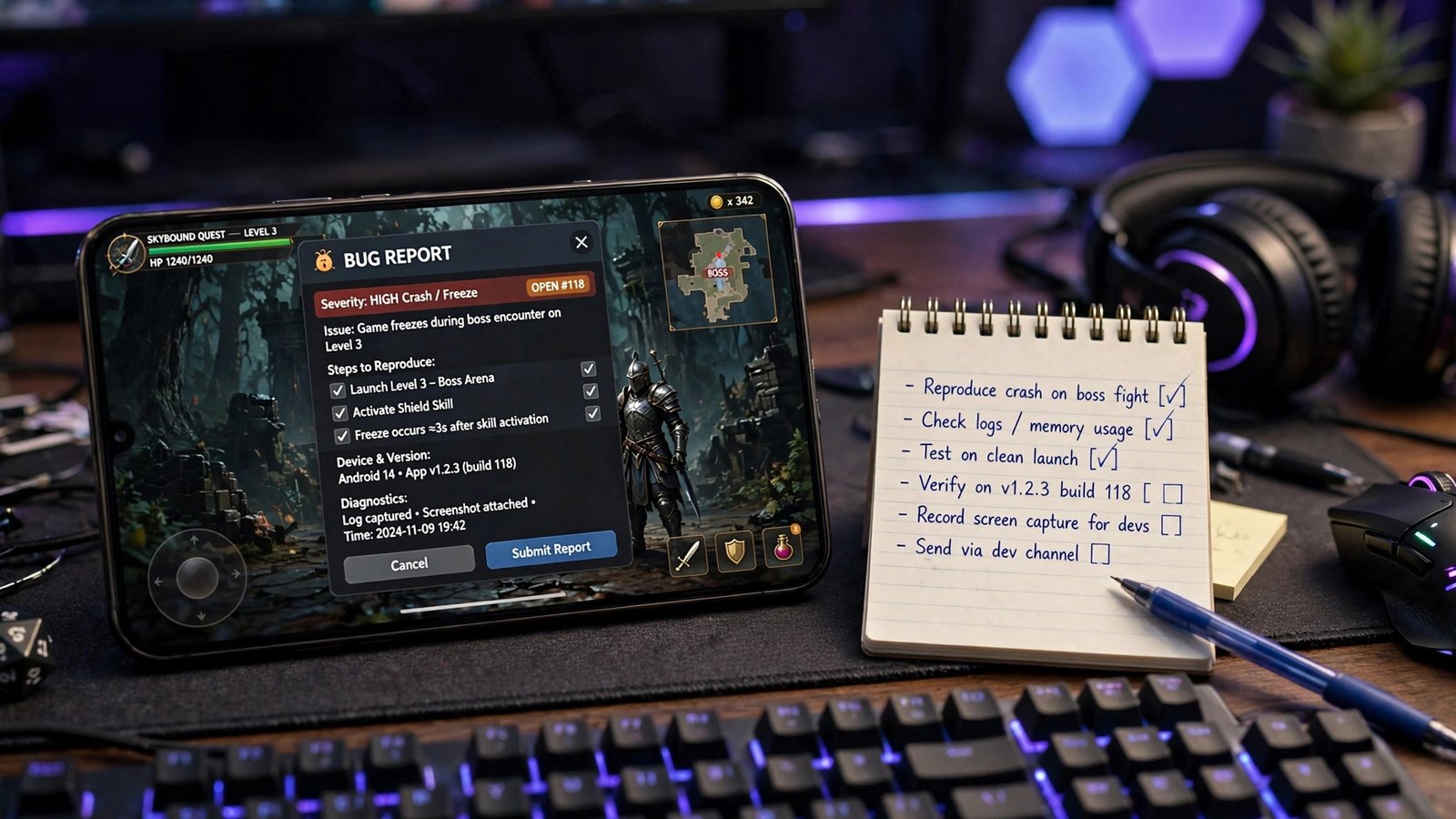
1. What happened? Say it plainly. “The game crashed” is a start, but “the game crashed when I opened a supply crate near the new area” is a report. Describe what you saw, not what you think caused it.
2. Where did it happen? Name the map, the mode, and the place. A bug that only happens in one location is much easier to find than a bug that happens “somewhere in the game”.
3. What were you doing? List the steps that led to the bug, in order. Which character were you using, which weapon, what did you press just before it happened? Steps to reproduce are the most useful part of any report.
4. What device are you on? Include your phone model and operating system version. A bug that only appears on certain devices cannot be fixed without that detail.
5. Can you show it? A screenshot or a short screen recording is worth more than a paragraph of description. Capture the moment the bug happens, and include it with your report if the feedback channel allows it.
Keep a short note on your phone while you test. Write down what you tested, what felt wrong, and what felt great. A one-line note per feature is enough, and it makes your feedback far more useful when you sit down to report it. Our guide on Free Fire OB56: What to Test First in the Advance Server explains how to test in order, so your notes stay organised.
One bug per report. If you found three problems, send three reports. A report that mixes a crash, a missing reward, and a text error into one message is hard to act on.
Bugs Worth Reporting
Not everything that feels odd is a bug, but these are always worth reporting:
Crashes and freezes. The game closes, the screen freezes, or the app stops responding. Include what you were doing at the time.
Visual glitches. A spot where you can see through a wall, get stuck, or fall through the map. These are easy to miss if you drop in the same places every match, so visit changed areas on purpose.
Balance problems. A new weapon or character that feels far too strong or far too weak. Test it in real matches, not just in the training ground, and say how it compares with what you normally use. For the full list of what is reported for OB56, see our guide on Free Fire OB56 Update: New Features (Expected).
Missing rewards. A reward that does not appear after you complete a task, or an event that does not track your progress.
Text and menu errors. Wrong text, missing labels, or buttons that do not work. Small errors are easy to report and easy to fix.
What Not to Do
Do not share account details. Never put your password, your one-time code, or your account login details in a bug report. A real report never needs them, and anyone asking for them is not helping you.
Do not trust paid report offers. Nobody legitimate will pay you through a random site or chat for reporting a bug, and no site can promise to transfer Advance Server rewards to your main account. Progress in the Advance Server does not carry over, and any site promising otherwise is not telling the truth.
Do not report the same bug ten times. If you have already reported a problem clearly, one report is enough. Repeating it does not make it get fixed faster.
Do not confuse a bug with a feature request. “This character should be stronger” is feedback, not a bug. It is still worth sending through the feedback channel, but label it as what it is. A bug is something broken; a balance opinion is something you would like changed.
What Happens After You Report
Do not expect a personal reply. Garena receives many reports during a test round, and most of them are fixed quietly. What you may see instead is the problem disappearing in a later test build, or the feature working differently when the global update arrives.
That is normal. Features in the Advance Server can be changed or removed before the global release, and dates can move, so check the official portal for the current status. Reported dates point to the Advance Server opening around 21 November 2026 and the global update around 13 or 16 December 2026, but those dates are not officially confirmed and sources disagree.
The Bottom Line
Test in order, keep short notes, and report each bug once, clearly, through the official feedback channel inside the Advance Server: what happened, where, what you were doing, your device, and a screenshot or video if you have one. That is how a tester helps shape the update every other player meets in December.
FAQ
Where do I report bugs in the Advance Server? Through the official feedback channel inside the Advance Server app. That is the channel Garena reads for test feedback.
What should I include in a bug report? What happened, where it happened, what you were doing at the time, your phone model and operating system version, and a screenshot or short recording if you can capture one.
Will I get a reply to my bug report? Usually not. Most reports are fixed quietly, and you will see the result in a later test build or in the global update.
Should I report a bug if I am not sure it is a bug? Yes, if you can describe what happened clearly. Say what you saw and what you expected to see, and let the test team decide. A clear report of an odd result is always useful.