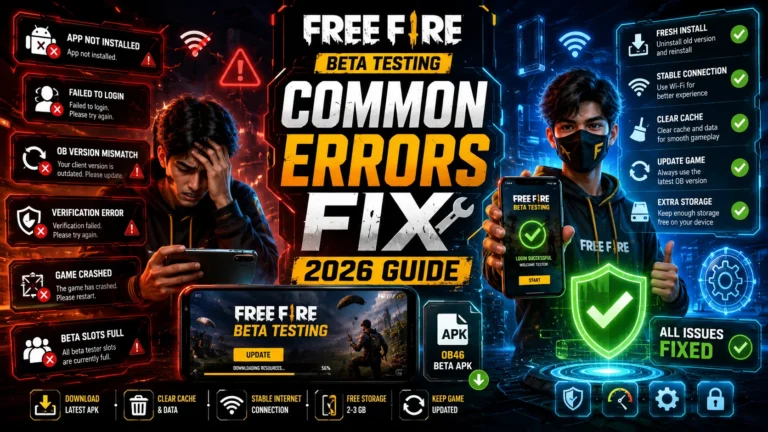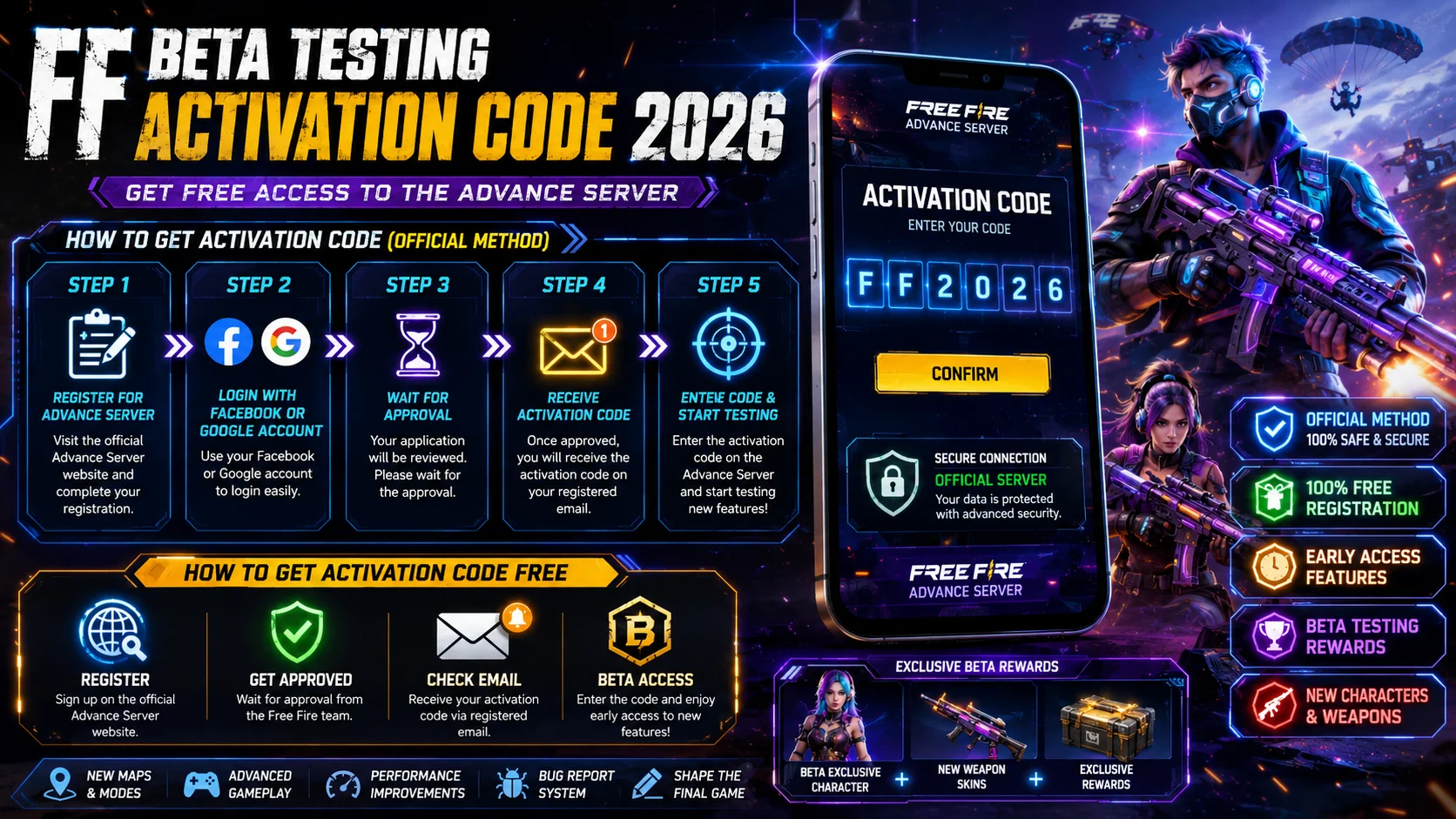
FF Beta Testing Activation Code 2026 — How to Get It Free (Official Method)
If you have downloaded the FF Beta Testing APK but cannot log in without an activation code, you are in the right place. Thousands of Free Fire players face this exact problem every beta season — the APK is installed, the excitement is real, but that one code is missing.
This guide explains exactly what the FF Beta Testing activation code is, how Garena distributes it, how to apply for it officially, and what your options are if you are not selected. No fake generator links. No scam methods. Just the real, working process that actually gets results.
What Is the FF Beta Testing Activation Code?
The FF Beta Testing activation code is a unique alphanumeric code issued directly by Garena. It is the only way to log into the Free Fire Advance Server. Without this code, even a correctly installed APK will show an error screen and refuse to let you in. Think of it as a VIP pass. Garena uses it to control who enters the beta server, how many players are testing at one time, and which regions have access during each OB update cycle. The code format looks like this: XXXX-XXXX-XXXX-XXXX Every code is unique to one player. You cannot share it, transfer it, or use someone else’s code on your account.
Why Does Garena Use an Activation Code for FF Beta Testing?
This is a question many players ask, and the answer is straightforward. The Free Fire Advance Server is a testing environment — not a public game. Garena needs a controlled number of players to test new features so the server does not become unstable.
If anyone could join freely, the server would crash, bug reports would be unmanageable, and the whole purpose of beta testing would fall apart. The activation code system keeps the process organized and fair. It also ensures that only genuine, active Free Fire players get access — not bots or fake accounts.
How to Get FF Beta Testing Activation Code in 2026 — Step-by-Step
There is only one legitimate way to obtain the FF Beta Testing activation code: it comes directly from Garena through their official registration process. Here is exactly how it works:
Step 1 — Wait for the Advance Server Registration to Open
Garena does not keep the Advance Server registration open all year. It opens for a short window — usually a few days to a couple of weeks — before each major OB update. You need to watch for official announcements on:
- Garena Free Fire’s official Facebook page
- Free Fire’s official Instagram account
- The official Free Fire website
- In-game news and notification banners
As soon as registration opens, act immediately. Slots fill up extremely fast, especially in high-population regions like India, Brazil, Indonesia, and Pakistan.
Step 2 — Visit the Official Advance Server Website
Go to the official Free Fire Advance Server registration page:
🔗 https://ff-advance.ff.garena.com
This is the only legitimate registration website. Do not register on any other site — fake websites that claim to offer free activation codes are scams designed to steal your account credentials or install malware on your device.
Step 3 — Log In with Your Free Fire Account
On the registration page, log in using the same Google or Facebook account that is linked to your main Free Fire account. You cannot register with a new or unlinked account. Make sure the account you use:
- Has been active for at least 9 months
- Is linked to a real Facebook or Google account
- Has a valid Player ID (12-digit FF UID)
New accounts or accounts with little activity are very rarely selected by Garena.
Step 4 — Fill In the Registration Form
Once logged in, you will see a registration form. Fill it in carefully with:
- Your full name
- Your email address
- Your Free Fire Player ID (12-digit UID)
- Your phone number (optional in some regions)
Double-check every detail before submitting. An incorrect Player ID means Garena cannot send you the activation code, even if you are selected.
Step 5 — Submit and Wait for Selection
After submitting, the process is in Garena’s hands. They select players based on:
- Account activity and playtime
- Region availability and server capacity
- Previous beta participation history
- Random selection from the pool of applicants
If you are selected, Garena will send your activation code to:
- The email address you registered with
- Your in-game inbox
- The registration page dashboard (when you log back in)
The wait is usually 1 to 3 days after the registration window closes. Check all three places regularly.
Step 6 — Save Your Activation Code Immediately
Once you receive the code, save it somewhere safe — a notes app, a screenshot, or written down. Activation codes are time-limited. They expire when the beta server closes, which is usually 2 to 4 weeks after the testing period begins.
Step 7 — Enter the Code and Start Testing
Open the FF Beta Testing APK on your device, log in with your Free Fire account, and when prompted, enter your activation code exactly as provided. One small typo will cause a login error. After entering the code correctly, you will have full access to the Advanced Server.
Eligibility Requirements — Who Can Get the Activation Code?
Not every Free Fire player qualifies for the beta program. Here are the requirements Garena checks before selecting applicants:
| Requirement | Details |
| Minimum Age | 18 years or older |
| Account Type | Active Free Fire account |
| Account Link | Must be linked to Google or Facebook |
| Account Age | At least 9 months old |
| Device | Android 5.0 or higher |
| Region | Advance Server must be open in your country |
| Activity | Regular gameplay improves selection chances |
What Happens If You Do Not Get Selected?
Most players who apply do not get selected on their first try — and that is completely normal. Garena receives millions of applications for a limited number of slots. Here is what you can do:
Apply again in the next OB cycle. The Advance Server opens before every major update, which typically happens every 2 to 3 months. Each new cycle is a fresh application — past rejections do not count against you.
Keep your account active. Players who play regularly, participate in events, and maintain a high activity level are more likely to be selected. Log in daily, complete missions, and stay engaged with the game between beta cycles.
Apply the moment registration opens. Early applicants have a significantly better chance of being included before the quota fills up. Set reminders and check official Free Fire channels the day registration opens.
Check your email and in-game inbox. Some players receive their activation code but miss it because they do not check their email. Whitelist Garena’s email address so the code does not go to spam.
Activation Code Errors — Common Problems and Fixes
Even after receiving a valid code, some players run into errors. Here is how to fix the most common ones:
“Invalid Activation Code” Error
This means one of three things: the code was typed incorrectly, the code has already been used, or the code has expired. Check your email again for the exact code and re-enter it carefully. Make sure there are no spaces before or after the code.
“Code Already Used” Error
Each activation code can only be used once and is tied to one account. If you see this error after entering a code for the first time, contact Garena support immediately through the official Help Center.
“Region Not Supported” Error
Your region may not have Advanced Server access during this OB cycle. Garena rotates regional availability, and not every country gets access in every beta period. Wait for the next cycle and apply again.
“Account Not Eligible” Error
Your account may not meet the minimum requirements — most commonly, account age or an unlinked Google/Facebook account. Check that your account is at least 9 months old and properly linked before applying again.
Avoid These Mistakes When Applying for the Activation Code
Many players lose their chance at the activation code — or worse, lose their account — by making avoidable mistakes. Here is what to watch out for:
Never use third-party “code generator” websites. Sites that claim to generate free FF Beta activation codes instantly do not work. They are scams. At best, they waste your time. At worst, they steal your account login information.
Never buy activation codes from other players. Codes are non-transferable. A code sold by another player will not work on your account, and you will have wasted money with no recourse.
Do not use a VPN to fake your region. Garena checks your actual region against your account history. Using a VPN to appear in a different region can result in your application being rejected or your account being flagged.
Do not apply with multiple accounts. Each player can apply with one account only. Applying with multiple accounts can result in all of them being disqualified.
How to Make the Most of Your Activation Code Once You Have It
Getting the activation code is just the beginning. Here is how to maximize your time in the Advanced Server:
Report bugs to earn diamonds. This is one of the best benefits of the beta program. Garena pays diamond rewards to the first player who reports each valid bug. Minor visual bugs earn 300 to 800 diamonds. Critical game-breaking bugs earn up to 3,000 diamonds. Be thorough, be fast, and be the first to report.
Test new characters systematically. Do not just play casually — take notes on new character abilities, test different skill combinations, and understand how new characters interact with existing ones. This knowledge will give you a real competitive edge when the official update drops.
Explore new maps and locations carefully. New map zones, restructured areas, and updated terrain are best learned in the beta when no one else knows the layout. Study chokepoints, rotation paths, and safe landing spots before everyone else.
Submit detailed feedback. Garena values specific, actionable feedback over vague comments. Describe bugs clearly — what happened, what you were doing when it happened, and how it affected your gameplay.
Final Words
The FF Beta Testing activation code is your gateway to Free Fire’s future. Getting it requires patience, preparation, and speed — but the reward is early access to new characters, new weapons, new maps, and the chance to earn free diamonds by reporting bugs before anyone else.
Apply through the official Garena registration page the moment it opens, keep your account active between beta cycles, and check all your inboxes carefully after applying. That is the complete, honest process — and it is the only one that actually works.
Ready to download the FF Beta Testing APK and start your beta journey? Download the latest version right here and get ready for the next Advanced Server season.